
Hello and welcome! 🙂
The beginning of the year resulted in great news! TLDR: the new app was released at the end of February, I added a new section called Practices and polished the dashboard a little bit.
AMR Tennis Practice Tracker
During playing tennis, I noticed that the AMR Tennis Tracker is a great app to track the match progress, but while I’m practicing with a friend, or with the coach, I use common “tennis activity” from the app. And then I got the idea, that would be great if I could have all of my tennis activities in the dashboard. Then I’d know how often I play (yes, I know it anyway without the app :D), and I could recognize when I play more matches than practices. I noticed also that in the last year, there were months where I was almost only practicing without playing full matches, and in the charts, there was a gap. So I decided to create a small add-on to the AMR family that will automatically send the tennis practices to the dashboard and make them visible there.
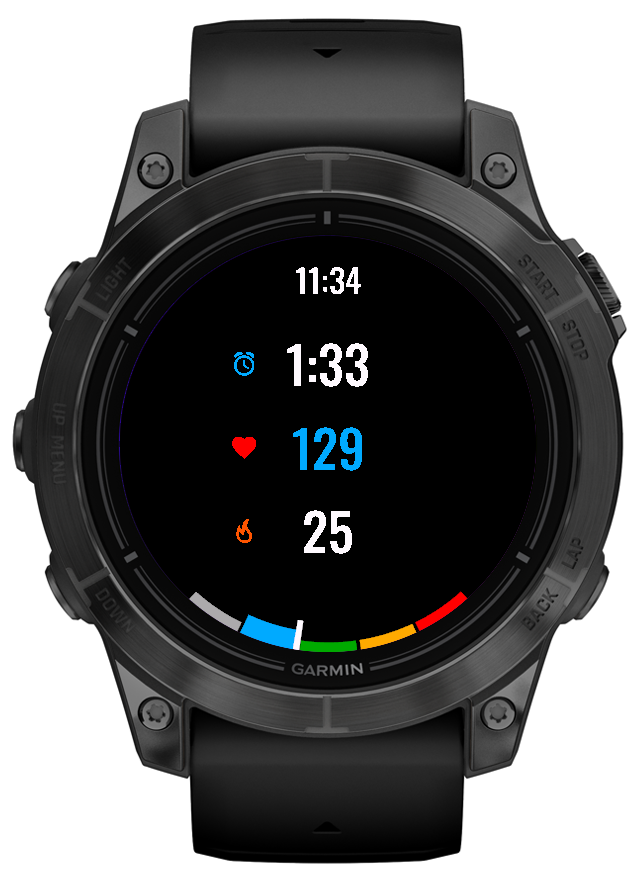
The app, in addition to the usual tracking of activity, also allows you to play minigames. At the beginning there are 3 minigames to play:
– Game: this is a simple game to play, as we usually play during the match. There are no golden points, only advantages.
– Tie-breaker: configurable tie-breaker with advantages. You can decide how long it will last, the maximum is 20 points, minimum: 3
– 3-6-9: This minigame is dedicated to those who want to improve their game in important moments of the match. It is a great game to exercise your patience, seeking for opportunities to win a point, but not to risk too much. It is great for the players who have problems with the tie-breakers, with the 40:40 result or break-points :). Rules are simple: we play it like a tie-breaker to 10, but without advantages, and if somebody has 3,6 or 9 points and loses, then he loses 3 points. For example: if there is 6:2 and player 1 loses the point, it will be 3:3 (p1 lost 3 points, p2 scored). Then both players play a very important point, in this example, p1 won, and the result will be 4:0 🙂 This kind of sets are tending to be unpredictable, even if you’re winning 9:0 in the next 3 balls you can be losing 0:3. You have to be consistent and aware of which points are really important.
Important: The app is for free for all of the subscribers AllMyRackets Tennis Tracker! Just try it 🙂
The app is available here: https://apps.garmin.com/apps/5c3c98fe-cc38-432d-9227-94737e823daf
Dashboard polishing
There are a couple of the new features/improvements according to the new app release:
New “Practices” Tab
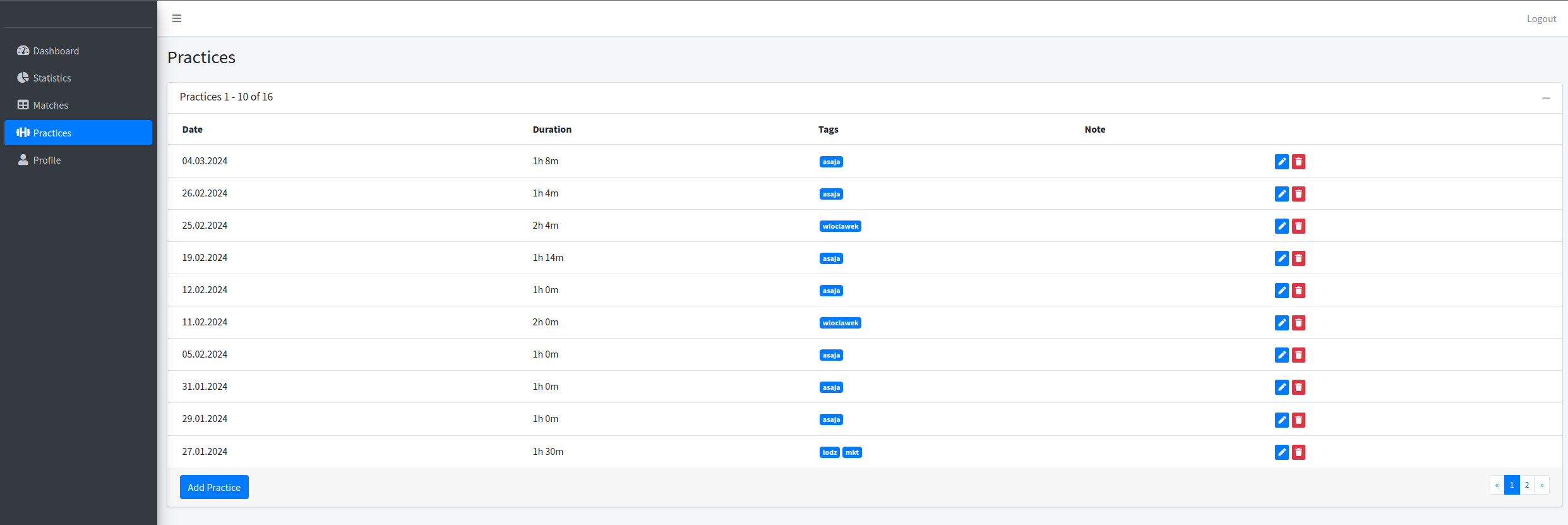
New app, new tab 😉 You can see there a list of your practices, you can tag them in a similar way than you can do it for the matches, and add notes.
Practices in the activities summary:
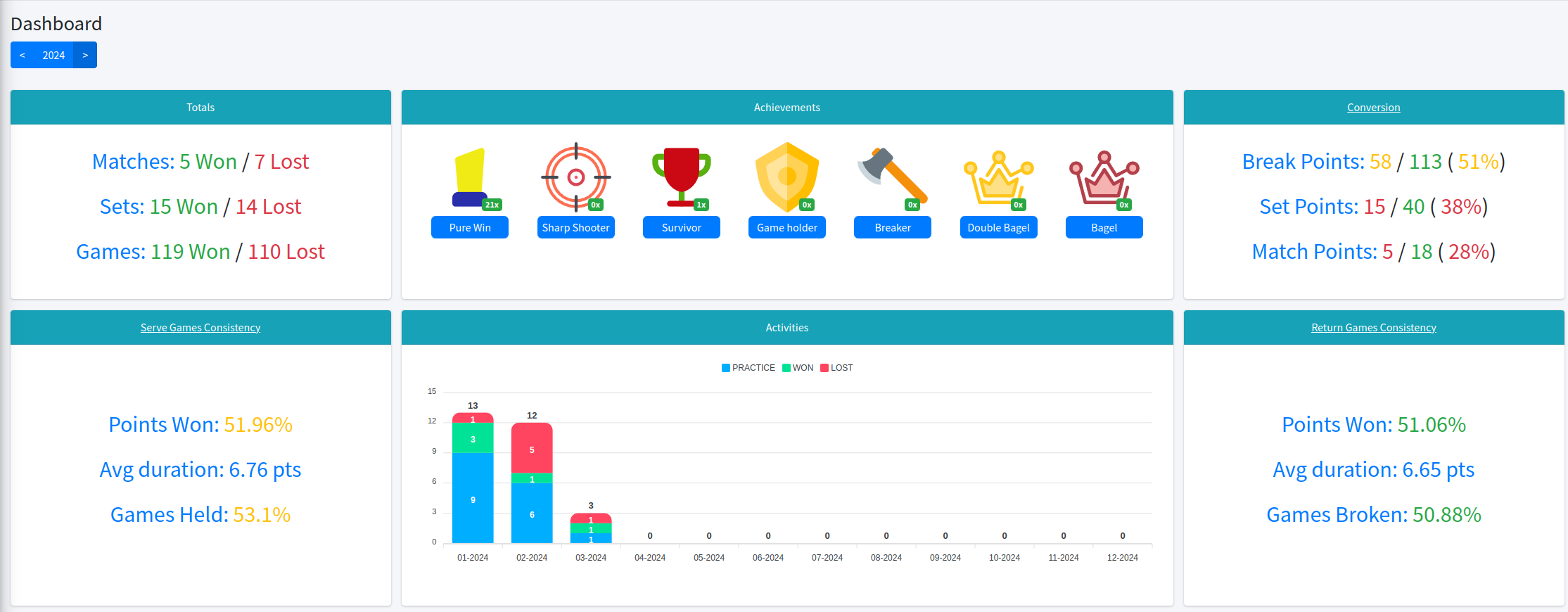
The practices appeared in the dashboard (Dashboard section), and now you can see the summary of your activities for each month.
The rest of the changes:
- Added icons to the left-sided menu. I hope now it looks much better =)
- In the Profile section, in the device list, you can see with what app the device is paired. It is important to check if you can synchronize matches or practices.
- If your app is not connected, you can see the prompt that reminds you that you will perform some actions to enable the feature. It is related to specific tabs, for example in the “Practice” tab you’ll be notified about the AMR Practice Tracker.
Have a nice day! 🙂