Hi there! As you probably know, the summertime is the busiest period for every tennis player. A lot of tournaments, matches, practices… And you have to reconcile it with the family life and vacation! So there was no space for extra no-life app development, but that doesn’t mean that I didn’t do anything! 🙂 There were a couple of updates, mostly quality-of-life but also but also watch and web app improvements.
Dashboard updates
Point-by-point match details tab
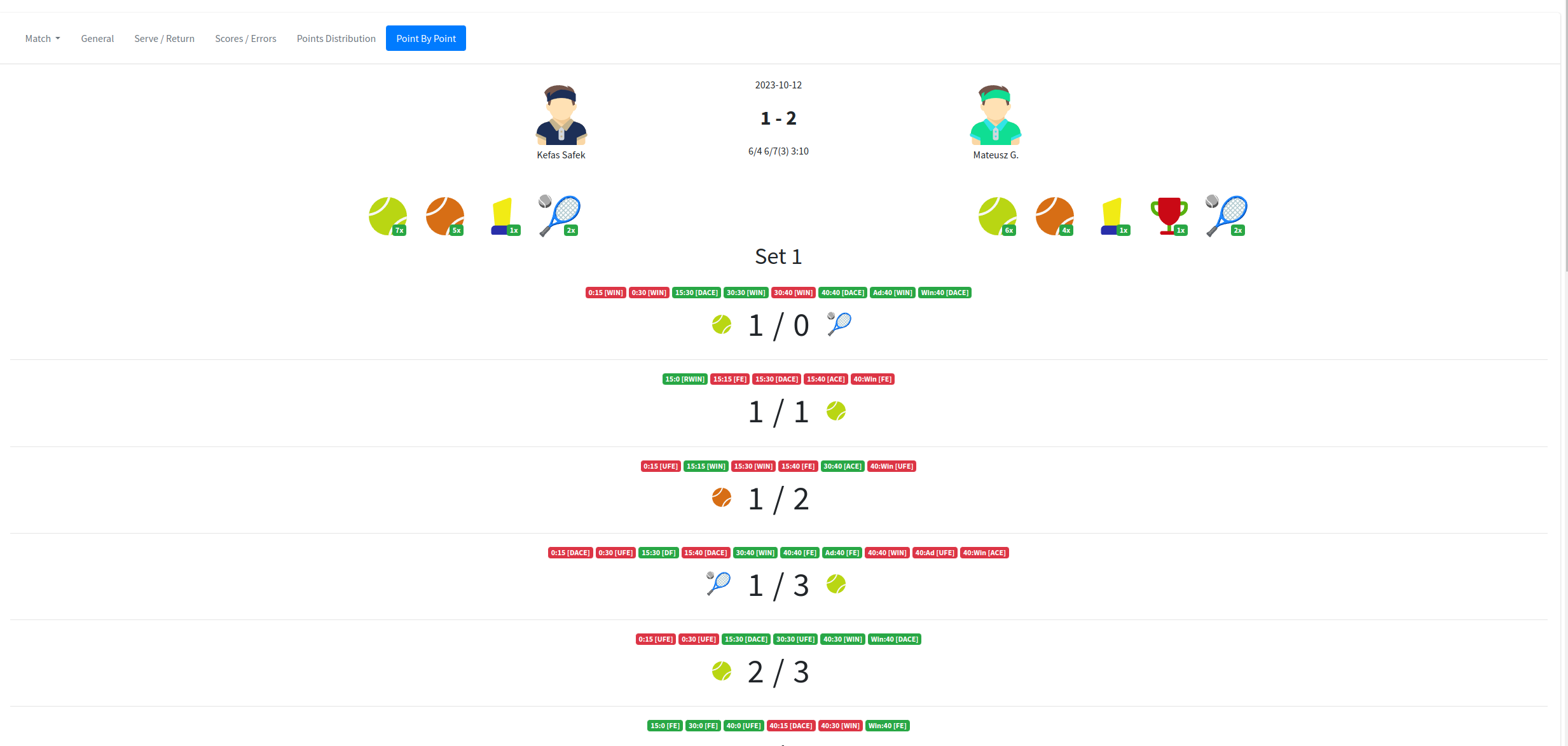
I added more funny data to the point-by-point tab. Now, you can unlock achievements for your matches. All of them are grouped and displayed below the players and, in addition, next to the games when they are unlocked. Now you can see how many times and when you broke the opponent, how many times you won the game to 0, you have the comeback from 0:40, and many, many more! I hope you like the feature. In the future, I plan to extend it by more events and maybe create an additional tab just for achievements.
The Insigths section
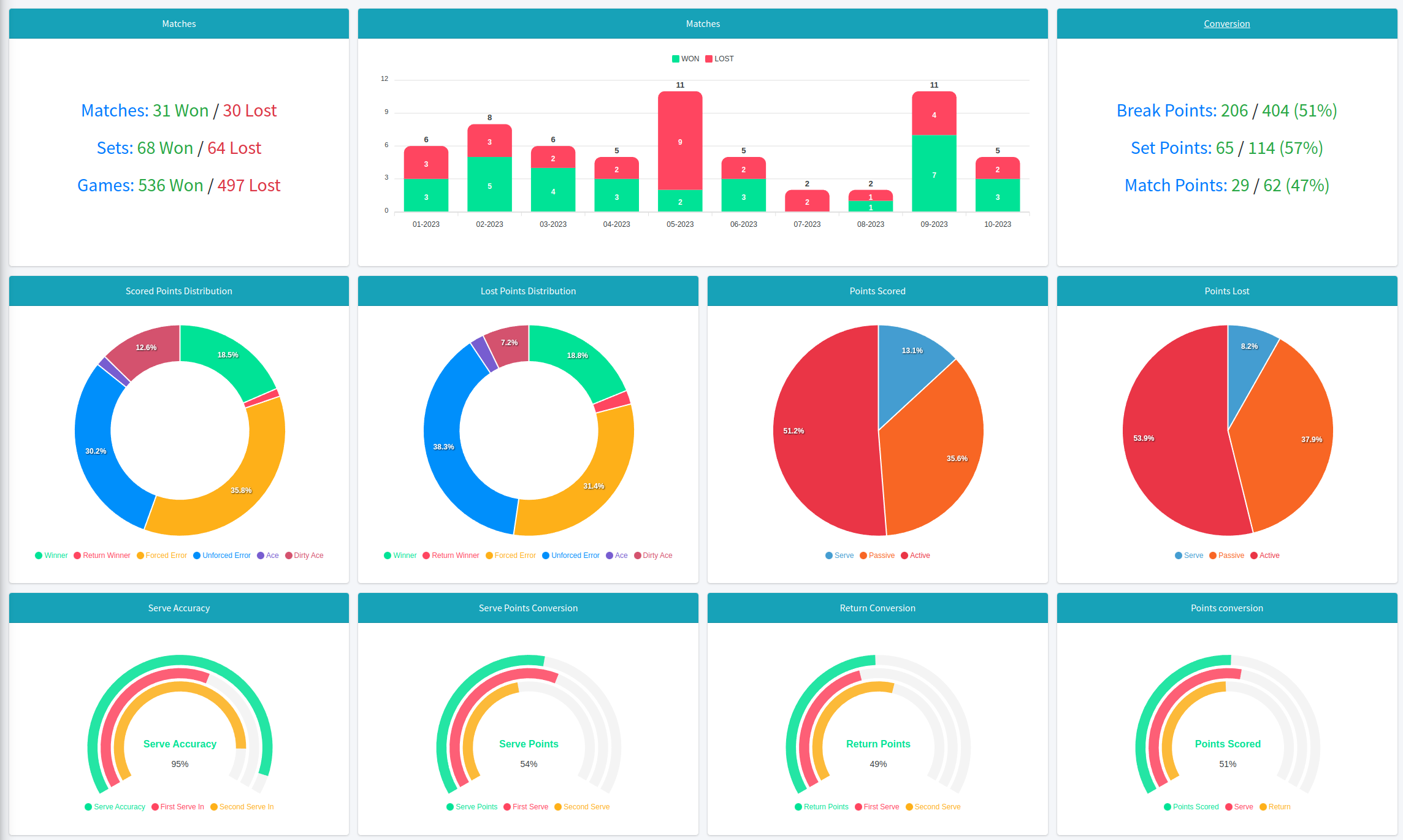
I also reworked a little bit the insights tab. I added more stats here and split one big chart of serve stats into smaller pieces, so it is more readable now (I hope so). I added also a new section with general stats, like break, set, and match points conversion. I’m aware that this section needs some filtering to be able to compare data, for example by surface or tags (e.g. stats for specific tournaments or so), I’m aware of that and this is a long-term plan for future updates.
Watch app
Warm-up phase
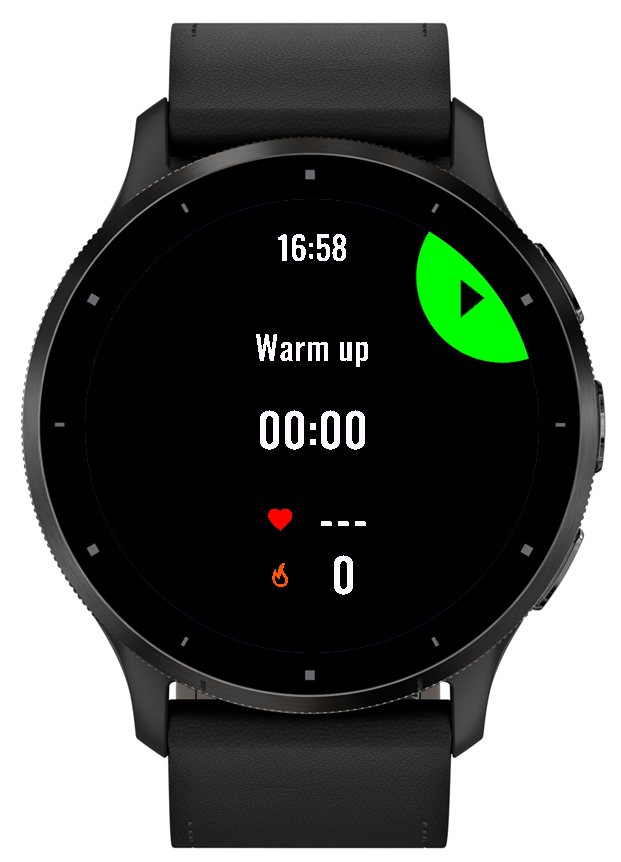
Many of you have asked about the warm-up phase for the app and here it is! To enable it you have to push the “start activity” button (top right) and you will be moved to the warm-up screen. Then press tart (highlighted button) and that’s it =). To start the match you have to only press the “back” button and start the match by choosing the server. The warm-up screen shows the current time, time of the warm-up, and calories burnt.
By the way – if you were mistaken in choosing the server you can now undo this step by pressing the back button. Previously once you chose it, you needed to restart the activity to do it again, now it is not necessary.
Match duration
Now the match duration is separated from the activity duration. In addition, it synchronizes with the dashboard, so for new matches you can see also how long the match lasted!