Howdy!
The season is coming to an end, with the ATP Finals ahead, where the top 8 players of the year will face off. We won’t see anyone from the Big Three. I can’t remember the last time there was such a situation. The other interesting fact is that we won’t see anyone with a one-handed backend. It will be for the first time in the ATP Finals history!
Ok, let’s go to the AMR Tennis Tracker update. I’m bringing you a couple of new features 🙂
Rules Presets
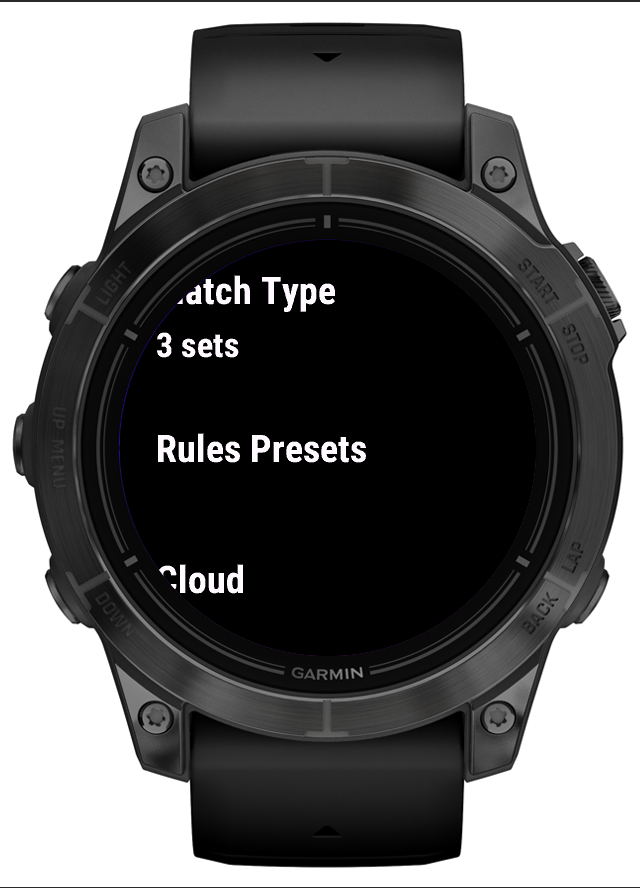
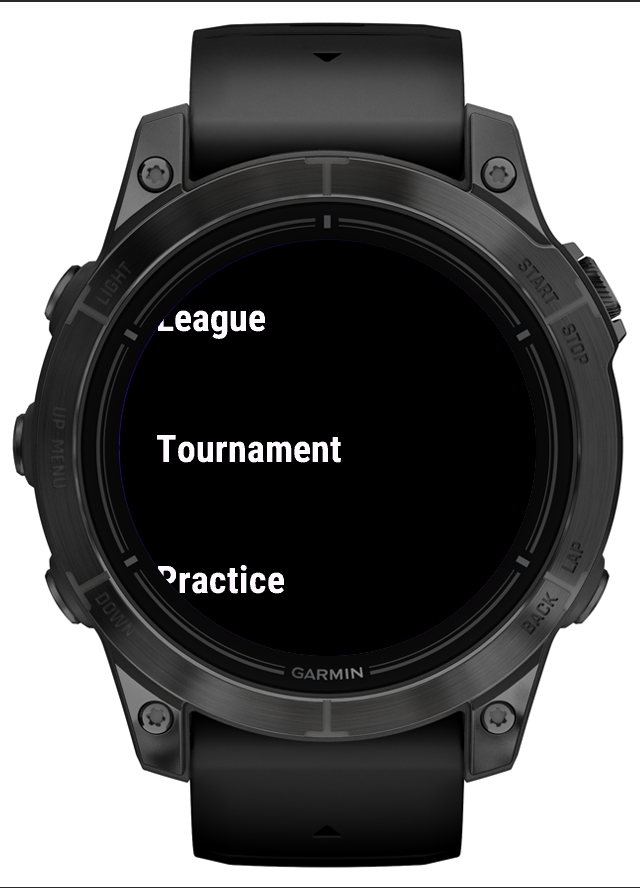
First thing first, the latest update brings the ability to save up to three custom rules presets, and you can name it! Now you can have a separate one for the sparing matches, a second one for the custom matches in your league and there is one more place for another, favorite one ;). You can name it, so it will be easy to recognize them while configuring the match, there is no longer needed to juggle the custom-match rules before the match.
Disabling points tracking
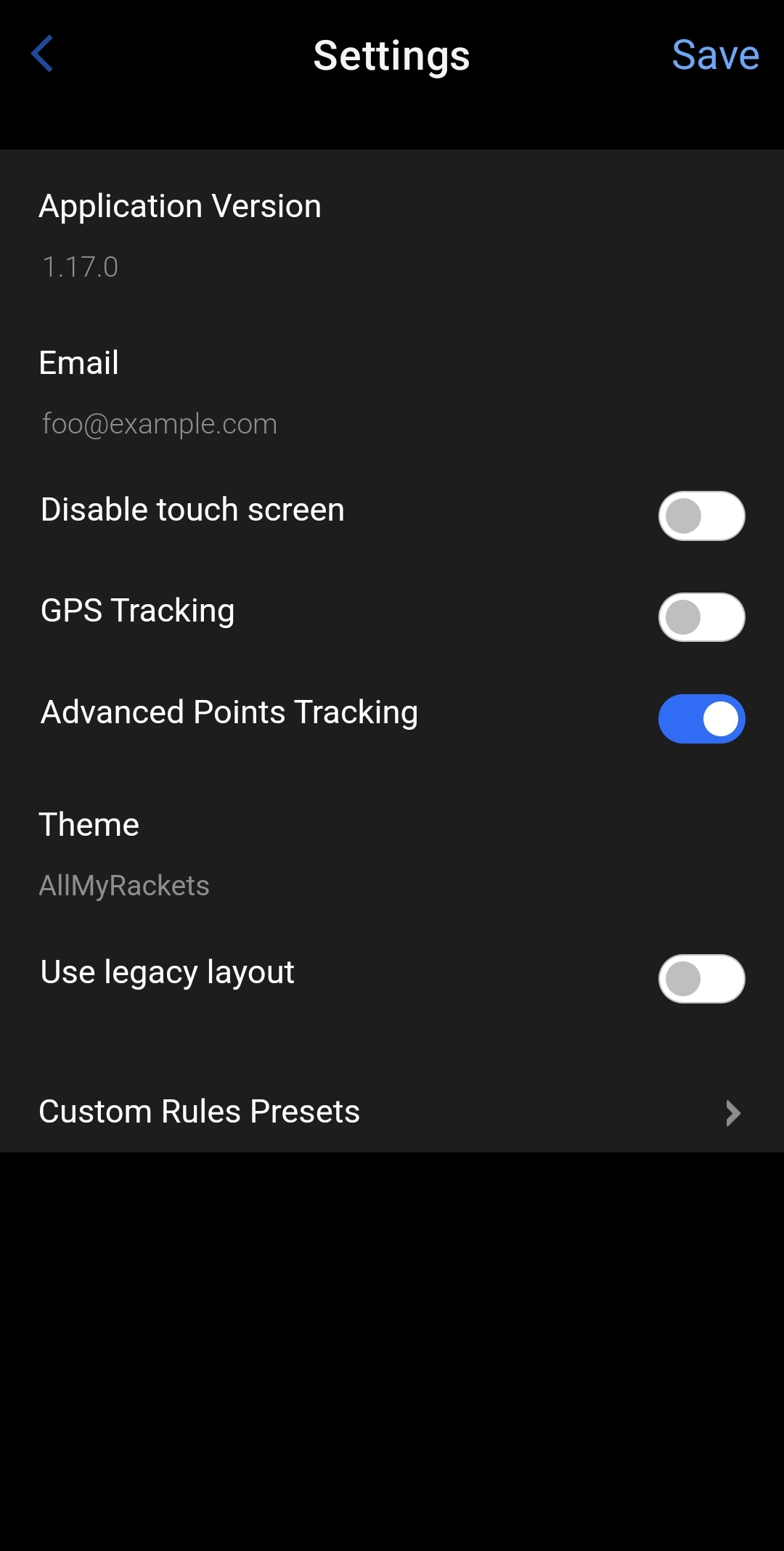
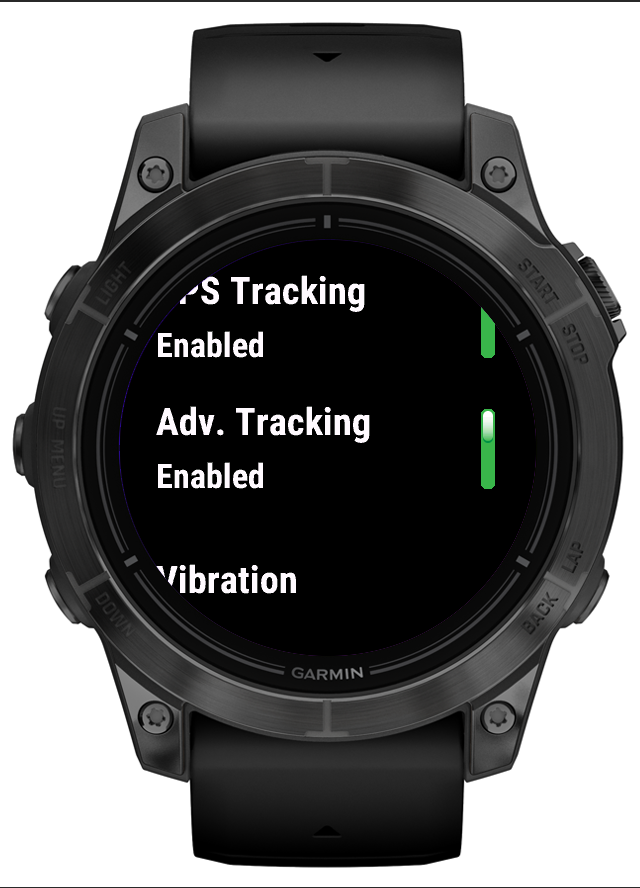
If you are not interested in tracking all of these point/score types, you can simply disable it. The option is named “Advanced Points Tracking” in the settings and by default is enabled. But if you play, for example, doubles, and you don’t need to track forced / unforced errors and service accuracy, you can disable it and track only the points. The break point/match point stats will be still available, so you don’t lose all of the stats!
Other changes
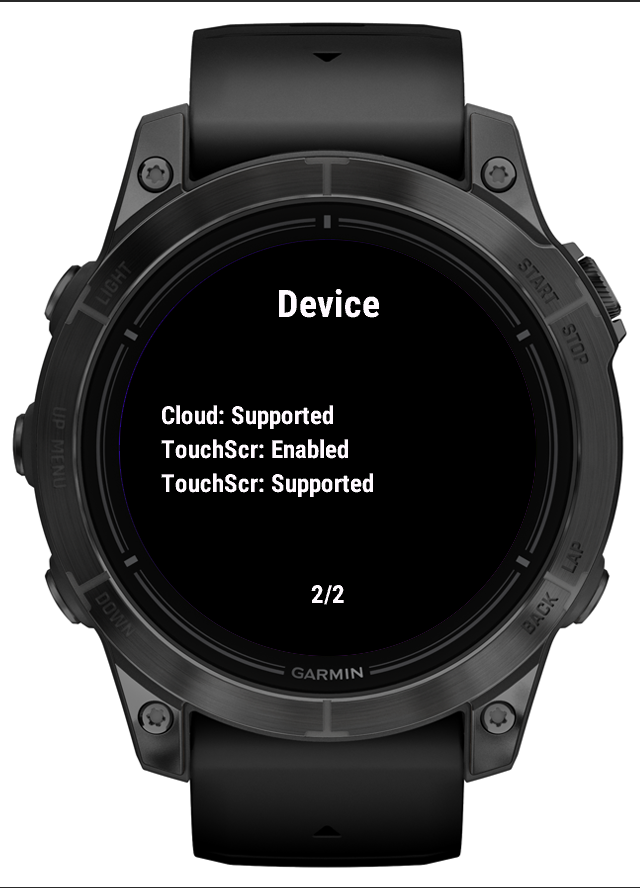
I added a new page to the “Info” app view. Now, you can check if the touch screen is enabled for your device. This option is obvious for the devices, that don’t have the touch screen, but for the others, it may be confusing if something doesn’t work – it can be dependent either on the app or the watch settings. Also, unfortunately after the last FR 965 (or probably 265) firmware updates, during the activity the touchscreen for the device is somehow disabled. This is probably a firmware bug – I hope this new view will be able to detect it.
Fixed the bug in the point-by-point view related to the last game points. Regardless of the score, there was always 40:win or win:40, even if the previous score was, for example 0:40. Thanks for reporting this! 🙂