Prerequisites
- Make sure that you’ve finished all the steps described in the activation guide
- Register for the https://dashboard.allmyrackets.com/ account and follow the instructions.
- Log in to the dashboard to be sure that your account is active
Pair the device
Open the watch app and application menu, then go to the Cloud and click Register Watch
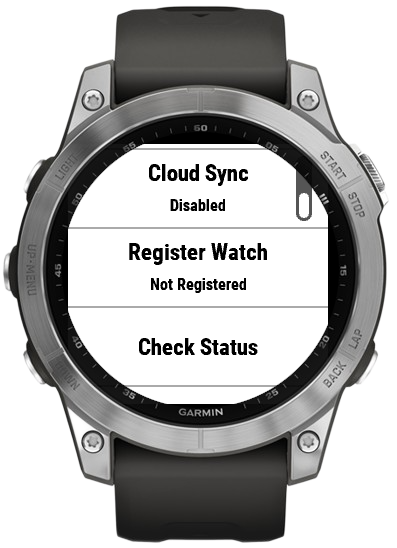
Once registered, open the dashboard, the watch should appear in the Devices section to link with your account. Click link – the status should change into connected.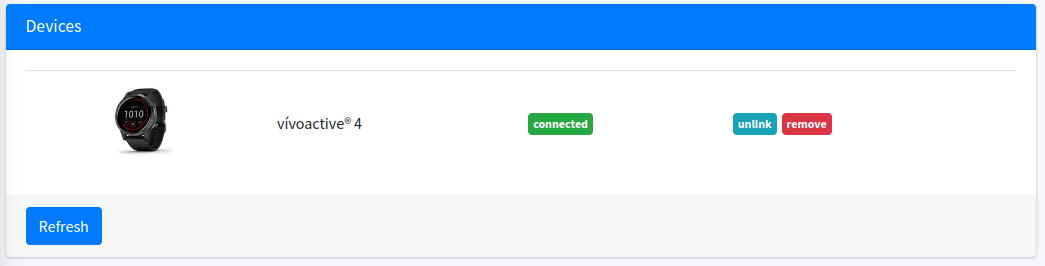
To confirm that everything works properly, you can click Check Status in the Cloud settings. Status should change into Registered.
Enable Cloud sync to automatically store your matches in the web app. Games are saved automatically after Save Activity event or – if you have no internet connection – you can do it manually in Cloud -> Synchronize. App can store up to 3 matches to sync.
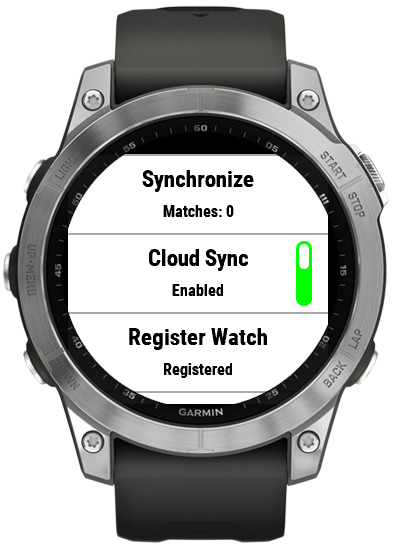
That’s it! Enjoy the tennis!